

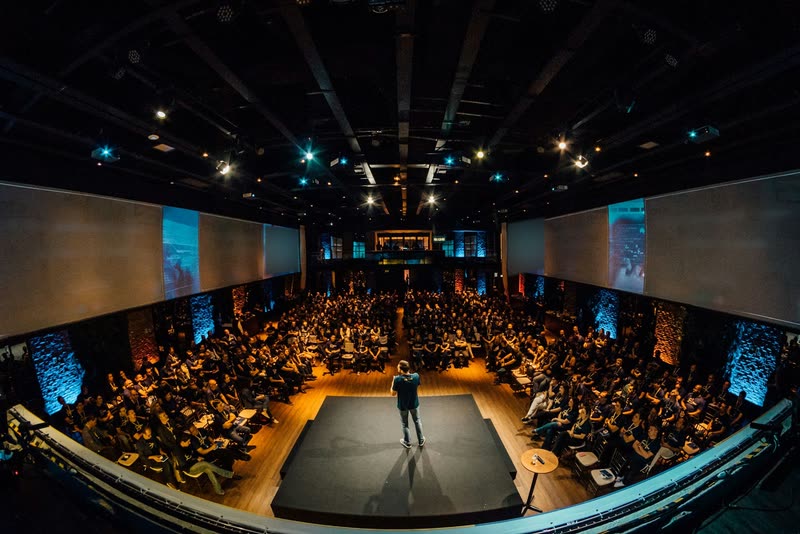

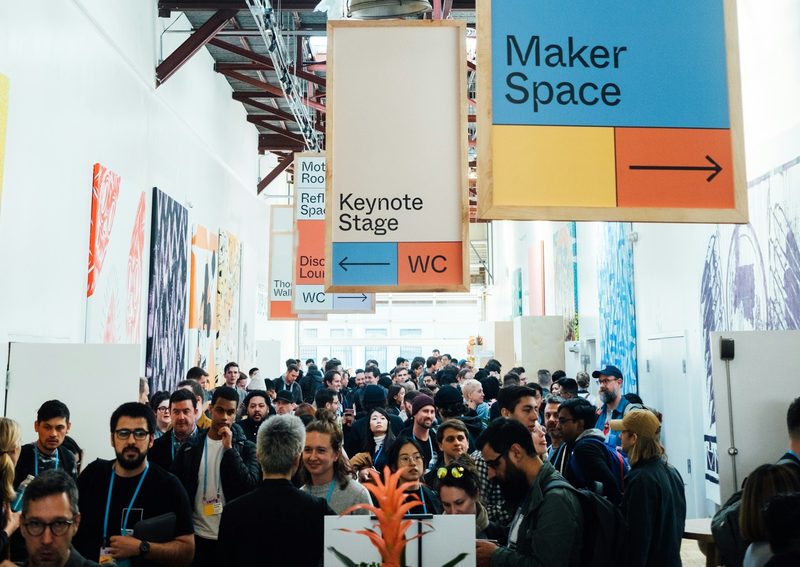
Use cases

Registration for corporate events, from customer event to roadshow.

The right registration flow for every format: by invitation, with a password or open to everyone, single-step or multi-step, one date or a whole series.

Compared

Three ways to your registration page.

What off-the-shelf tools, custom-coded pages and signUP do for your corporate event.

Criterion
Off-the-shelf toolsquick to build
Custom-codedexactly your brand
signUPboth
Time to live
quick
weeks or months, high cost
in minutes
Design
rigid templates, never quite your brand
exactly your brand
a design system from your website
Registration logic
only as far as the tool knows it
whatever you commission
multi-step, with conditional logic
Domain
often someone else’s domain, with the tool’s branding
your domain
your own domain if you like, no signUP logo
Changes
yourself, in the tool’s editor
new development every time
any time, yourself, in the intuitive editor
Formats

Which corporate events signUP is built for.

signUP is built for every event where you collect details for attendance that have to end up in a reliable guest list: customer events, conferences, trade fairs, roadshows, webinars, employee events and training courses.

Invited guests

Customer events and invitation management

With invited guests the attendee list usually comes from your CRM or an Excel file. You import it, and every guest gets a personal registration link with name and company already filled in. Fields that must not change are locked.

  • Closed registration: only invited guests can sign up
  • Cancellations: guests log in with a code and their email address and cancel themselves
  • Registration for companions
  • Automatic emails for confirmation or cancellation
Registration
by invitation, personal link
Typical features
companions, guest groups, editing details afterwards
Programme and tracks

Conferences and conventions

Multi-step registration with programme selection: attendees pick workshops or tracks, and conditional logic shows the fields that match each group. The registration comes with the event site: agenda, speakers and FAQ, in the same design.

Registration
by invitation, personal link
Typical features
conditional logic, attendance limits, email attachments (programme, floor plan)
Recurring dates

Training courses and seminars

Recurring dates with different registration flows: guests pick their date in a select field. Depending on the seminar topic, conditional logic can put a different form behind it.

Registration
open, recurring
Typical features
date selection, conditional logic, calendar entry

More formats

Trade fairs and in-house shows

Visitor registration with time slots or stand appointments: date fields, select fields for slots and a counter for the number of people. The registration deadline sets when sign-ups close. Capacities per slot can be set.

Registration
open
Typical features
time slot selection, attendance limits, registration deadline

Roadshows: one flow, several cities

On a roadshow everything repeats except place and date. Instead of rebuilding every stop, you set up one registration flow for all of them: guests pick city and date in a select field, and conditional logic shows the fields that belong to a particular stop. If the roadshow crosses borders, you publish the site in a second language in seconds.

Registration
open, one flow for all stops
Typical features
stop selection, conditional logic, several languages

Webinars and online events

Registration and confirmation work like on-site events. You plan the reminder as an email with a fixed send time that carries the access link to your video conferencing system. Including a calendar entry with the meeting link.

Registration
open
Typical features
access link in confirmation and reminder, calendar entry

Staff and anniversary events

Internal events rarely need a public page. A password-protected or closed registration makes sure only people from a defined circle can sign up. The event password is a simple hurdle; for truly sensitive circles use the closed registration with personal links.

Registration
closed or password
Typical features
companions, guest groups, editing details afterwards
Event agencies Every event in that client’s design Agencies work in one workspace or in separate workspaces per client, each with its own media and font library and its own roles. The registration flow is built in that client’s design, via the signUP Brand Scan of their website. signUP for event agencies
Preparation

What you need before you start.

For most use cases you need these four things:

The URL of your company website

For the signUP Brand Scan, so colours, type and logo are picked up automatically. That gives you a design that matches your brand in no time.

One sentence on what should be asked

Just tell signUP what you want to ask for, for example “Build me a registration with personal details, travel dates and food preferences”. Your form is generated from it in seconds.

The key details of the event

Title, date, venue, short description.

The invitation list

For invited guests, as an Excel or CSV file.

A custom domain is optional. Without one the event runs on a signUP address.

Short-notice changes

When the event changes at short notice.

Dates move, programme items fall away, a speaker drops out. Correcting the event site does not need days of review loops. You change the event website yourself in seconds and publish your changes.

Version history takes you back to an earlier state if a change turns out wrong. You reach registered guests with an email to the audience you pick, for example everyone who has already accepted.

FAQ

Frequently asked questions.

No. There is no guest payment inside the registration process.

signUP is built for named registration, not for public ticket sales.

Yes, from Excel or CSV.

Invited guests get a personal registration link with pre-filled fields; fields that should not change are read-only.

With one registration flow for all stops: guests pick their city and date in a select field, and conditional logic shows the fields that only belong to certain stops.

For stops in other countries you add the languages.

Yes, through a closed registration with personal links or an event password.

The password is a simple hurdle, not a permission system; for sensitive groups use the closed registration.

Yes. Every company is its own workspace with its own media and font library, its own roles and separate data.

You switch between your workspaces with one login; we set up additional workspaces for your clients.

Get started with signUP.

Get in touch and we will talk about your use case.

Request a demo